
Transportation Planning Manager
Every row on this page is saved in Beaver Builder. To use one: edit a page, add a row, open the Saved Rows tab, choose the Transportation category and drag it in. Then replace the copy and images — the layout, colours and responsive behaviour come with it.
What you see below are copies. Editing them here changes nothing in the library, and nothing on a page that already uses one of these rows.
The rows are in groups by what they do. Use the list below to jump to a group.
Rows that open a page or break it into chapters: the department header, the full-width bands and the icon strip.
Saved Row
Hero - Department Header
Section badge, page title and a lead paragraph over the department background. Sits at the top of a Transportation page.
Transportation
Advancing safe, efficient, and accessible mobility for all users across the Southeastern Massachusetts transportation network.
Saved Row
Header No Folio Image
The site-wide page header without a folio image: tab, page title and subtitle, restyled for this section. Cloned into this section 18 Sep 2026.
Saved Row
Band - Mission Statement
Full-width navy band: heading on the left, body copy on the right, four-colour rule along the bottom edge. Splits into two columns on wide screens and stacks below 1600px so the heading keeps its two-line break.
Our Mission
The SRPEDD Transportation Department, as staff to the SMMPO, informed by the JTPG, and guided by public input, envisions a safe, responsive, and accessible multimodal transportation network that supports community character, economic development, and environmental initiatives throughout Southeastern Massachusetts.
Saved Row
Band - Full-Bleed Image with Overlay
A picture running the full width of the screen with a headline, a supporting line and an arrow link over it, and the navy tab centred on its top edge. The text is capped so it stays readable on a wide monitor, and the scrim underneath keeps it legible whatever photo is used.
SRPEDD Spotlight
See how the Regional Pedestrian Plan is making an impact.

Saved Row
Band - Icon Steps Across
Five steps across a coloured band, each an icon, a short title and a line of copy — for a process or an annual cycle. Add or remove a step by duplicating or deleting a column; click a circle to pick its icon from the SRPEDD icon set or Font Awesome, or swap the Icon module inside the card for a Photo module and the picture is cropped into the circle. A card left without a picked icon shows one of the five drawn for the TIP timeline. The circle colors follow the order of the steps and are not set by hand. Wraps to fewer per row as the screen narrows.
Annual TIP Timeline
The block that follows the header: a lead-in headline, a rule and the opening copy, with or without a sidebar. The last five are the site-wide intro blocks cloned into this section on 18 Sep 2026; the comp calls them the intro content modules.
Saved Row
Intro - Heading, Rule and Two Columns
Heading with a divider rule, an intro paragraph and two supporting columns. Three across on wide screens, two below 1200px, stacked on phones.
SRPEDD’s Transportation Department works closely with our partners and the public in pursuit of a transportation network that serves all users.
As staff to the federally-designated Southeastern Massachusetts Metropolitan Planning Organization (SMMPO) the transportation department is responsible for the planning and programming of all modes of transportation including highways, public transit, freight, bicycles & pedestrians.
SRPEDD also provides technical assistance to the 27 communities in the Southeastern Massachusetts region and two transit authorities, the Greater Attleboro Taunton Regional Transit Authority (GATRA) and the Southeastern Regional Transit Authority (SRTA).
We use a data driven and community focused approach to assist our communities with meeting their transportation needs and expanding transportation options in a safe and equitable manner. Our expansive public engagement and community outreach efforts strive to provide a voice in the transportation planning process for vulnerable and traditionally underserved populations.
Visit our 2025 Federal Certification Review StoryMap to learn more about our work!
Saved Row
Intro - Heading and Copy with Sidebar Panel
Heading, rule and body copy in the main column, beside a panel carrying an announcement, a contacts list and a meetings schedule. The contacts and meetings are pulled from records rather than typed, so they stay current on their own; the announcement and body copy are yours to write. The panel drops below the copy on a phone.
The Transportation Improvement Program (TIP) is a five-year programming document that lists all transportation related projects with federally allocated funding in the region.
Transportation Planning Manager

Assistant Director of Transportation Planning
11.17.26 SMMPO Meeting Please join us on Zoom
12.09.26 SMMPO Meeting Please join us on Zoom
Saved Row
Intro - Heading Aside Two-Column Copy and Image
A section heading in a narrow column beside two columns of body copy with a supporting image beneath them. Stacks to a single column on a phone, image last.
TIP Development Process
The TIP is developed annually by the SRPEDD Transportation Planning staff, acting as staff to the Metropolitan Planning Organization (MPO) for southeastern Massachusetts in consultation with federal, state and local officials, adjacent MPO’s, the state of Rhode Island, transit authorities and the public.
Regional priorities for projects are established by the Joint Transportation Planning Group (JTPG), which acts as the transportation policy advisory group to the MPO, and is a forum for public participation for transportation planning in the region.
Development of the TIP constitutes the selection of projects to be included in the five- year programming element of the TIP. The SMMPO staff identifies potential projects for inclusion based on readiness from both the existing out year projects and the Supplemental Project List.
Once potential projects are identified, the SMMPO’s staff contacts each project proponent to obtain a project schedule, which is required for programming in the SMMPO TIP, and specific detailed information (relevant to the scope of work) to assist in the prioritization process. Projects are then evaluated through the SMMPO’s Evaluation Criteria, which scores the project based on regionally prioritized criterias and takes into consideration their impact on meeting performance targets.
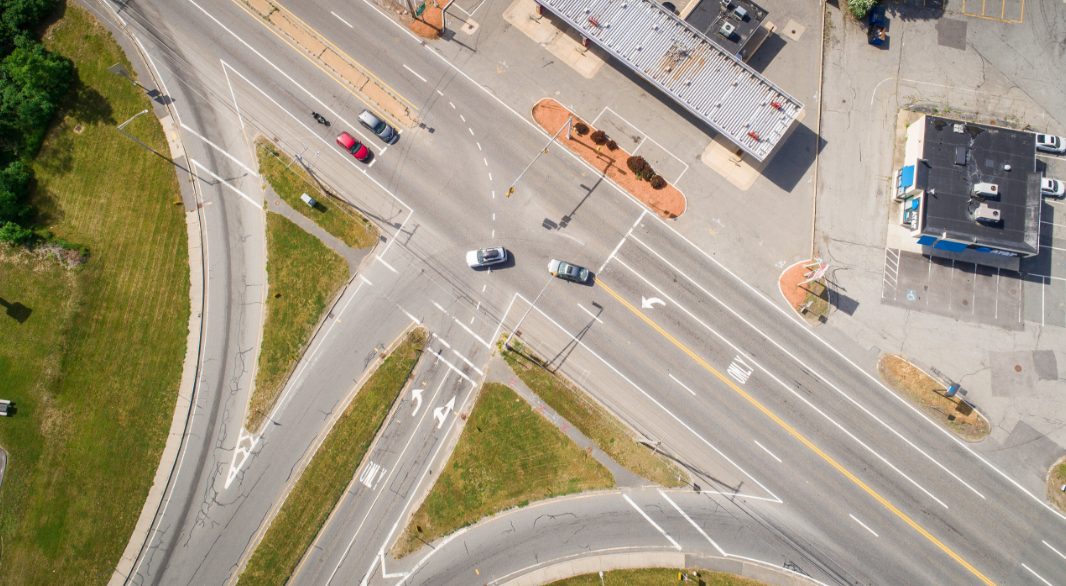
Public Participation
The SMMPO has a documented participation plan that defines a process for providing individuals and other groups involved in transportation, including public agencies, providers of transportation, users of public transportation and other interested parties involved in transportation a reasonable opportunity to be involved in the metropolitan transportation planning process.
Learn more about our Public Participation Program
Project Prioritization
All projects included in the TIP have been evaluated and assigned a priority value or score through the SMMPO’s Evaluation Criteria Process. This process is used as a management tool to identify projects of regional priority and program them accordingly in the TIP.
Coordination
SRPEDD staff works closely with Local Community Highway / Public Works officials and staff, Community Boards of Selectmen, Planning Boards and Community Planners, Mayors and Town Mangers, Economic Development personnel, the MassDOT Office of Transportation Planning and MassDOT District 5 staff on all phases of projects and project development.
SRPEDD staff has and continues to work with MassDOT District 5 and Office of Transportation Planning, the National Park Service (NPS), Department of Conservation and Recreation (DCR), Executive Office of Energy and Environmental Affairs (EEA), MassTrails, Mass in Motion Fall River, Mass in Motion New Bedford, Mass in Motion Taunton, Southcoast Bikeway Alliance, Taunton River Trail , Taunton River Stewardship Council, and East Coast Greenway on Bicycle/Trail Planning.
Saved Row
Intro Block - 2/3 width 1 Column — no aside/sidebar
Comp: 2/3 width 1 Column Intro content module - no aside/sidebar. Rule, lead-in and body copy across two-thirds of the width, the last third left empty.
Saved Row
Intro Block - 2/3 width 1 Column Intro content module with aside/sidebar
Comp: 2/3 width 1 Column Intro content module with aside/sidebar. The same two-thirds intro with an announcements panel in the remaining third.
Saved Row
Intro Block - 1 column lead-in text block & headline with sidebar image
Comp: 2 Column intro content module with image. Rule, lead-in and copy on the left, a captioned photograph on the right.
Its primary role is to plan for the future land use of the region including zoning, master plans, predisaster mitigation, promotion of affordable housing choices and transit-oriented development areas.
Lorem ipsum dolor sit amet, consetetur sadipscing elitr, sed diam nonumy eirmod tempor invidunt ut labore et dolore magna aliquyam erat, sed diam voluptua.
Saved Row
Intro Block - 1 column headline and 2 column text
Comp: 2 Column intro content module - text only. One lead-in headline over two columns of body copy.
Saved Row
Intro Block - 3 column (single lead-in headline, single text block, image sidebar)
Comp: 3 Column intro content module with image - intro copy in column 1 only. Lead-in in the first column, body copy in the second, a captioned photograph in the third.
Lorem ipsum dolor sit amet, consetetur sadipscing elitr, sed diam nonumy eirmod tempor invidunt ut labore et dolore magna aliquyam erat, sed diam voluptua.
At vero eos et accusam et justo duo dolores et ea rebum. Stet clita kasd gubergren, no sea takimata sanctus est Lorem ipsum dolor sit amet.
Lorem ipsum dolor sit amet, consetetur sadipscing elitr, sed diam nonumy eirmod tempor invidunt ut labore et dolore magna aliquyam erat, sed.
The workhorse rows that carry a page's copy: two-column article blocks with a section tab, the accordion, and the feature rows that pair copy with a map, a table or a collage.
Saved Row
2 Column Body Content Module – White Background (Transportation)
Comp: 2 Column Body Content Module - White Background. Section tab over two columns of titled copy blocks, each ending in an arrow link; white edge to edge with the shadow the section puts above its rows. Cloned into this section 18 Sep 2026.
Lorem ipsum dolor sit amet, consetetur sadipscing elitr, sed diam nonumy eirmod tempor invidunt ut labore et dolore magna aliquyam erat, sed diam voluptua. At vero eos et accusam et justo duo dolores et ea rebum. Stet clita kasd gubergren, no sea takimata sanctus est. Lorem ipsum dolor sit amet, consetetur sadipscing elitr, sed diam.
Lorem ipsum dolor sit amet, consetetur sadipscing elitr, sed diam nonumy eirmod tempor invidunt ut labore et dolore magna aliquyam erat, sed diam voluptua. At vero eos et accusam et justo duo dolores et ea rebum. Stet clita kasd gubergren, no sea takimata sanctus est. Lorem ipsum dolor sit amet, consetetur sadipscing elitr, sed diam.
Lorem ipsum dolor sit amet, consetetur sadipscing elitr, sed diam nonumy eirmod tempor invidunt ut labore et dolore magna aliquyam erat, sed diam voluptua. At vero eos et accusam et justo duo dolores et ea rebum. Stet clita kasd gubergren, no sea takimata sanctus est. Lorem ipsum dolor sit amet, consetetur sadipscing elitr, sed diam.
Lorem ipsum dolor sit amet, consetetur sadipscing elitr, sed diam nonumy eirmod tempor invidunt ut labore et dolore magna aliquyam erat, sed diam voluptua. At vero eos et accusam et justo duo dolores et ea rebum. Stet clita kasd gubergren, no sea takimata sanctus est. Lorem ipsum dolor sit amet, consetetur sadipscing elitr, sed diam.
Saved Row
2 Column Body Content Module – Gray Background (Transportation)
Comp: 2 Column Body Content Module - Gray Background. The same two columns on a solid grey band, edge to edge (Kevin, 21 Sep: no gradient, no rounded corners). Cloned into this section 18 Sep 2026.
Lorem ipsum dolor sit amet, consetetur sadipscing elitr, sed diam nonumy eirmod tempor invidunt ut labore et dolore magna aliquyam erat, sed diam voluptua. At vero eos et accusam et justo duo dolores et ea rebum. Stet clita kasd gubergren, no sea takimata sanctus est. Lorem ipsum dolor sit amet, consetetur sadipscing elitr, sed diam.
Lorem ipsum dolor sit amet, consetetur sadipscing elitr, sed diam nonumy eirmod tempor invidunt ut labore et dolore magna aliquyam erat, sed diam voluptua. At vero eos et accusam et justo duo dolores et ea rebum. Stet clita kasd gubergren, no sea takimata sanctus est. Lorem ipsum dolor sit amet, consetetur sadipscing elitr, sed diam.
Lorem ipsum dolor sit amet, consetetur sadipscing elitr, sed diam nonumy eirmod tempor invidunt ut labore et dolore magna aliquyam erat, sed diam voluptua. At vero eos et accusam et justo duo dolores et ea rebum. Stet clita kasd gubergren, no sea takimata sanctus est. Lorem ipsum dolor sit amet, consetetur sadipscing elitr, sed diam.
Lorem ipsum dolor sit amet, consetetur sadipscing elitr, sed diam nonumy eirmod tempor invidunt ut labore et dolore magna aliquyam erat, sed diam voluptua. At vero eos et accusam et justo duo dolores et ea rebum. Stet clita kasd gubergren, no sea takimata sanctus est. Lorem ipsum dolor sit amet, consetetur sadipscing elitr, sed diam.
Saved Row
2 Column Body Content Module - White Background with bottom image (Transportation)
Comp: 2 Column Body Content Module - White Background with bottom image. Two columns of copy with a full-width photograph closing the row. Cloned into this section 18 Sep 2026.
Lorem ipsum dolor sit amet, consetetur sadipscing elitr, sed diam nonumy eirmod tempor invidunt ut labore et dolore magna aliquyam erat, sed diam voluptua. At vero eos et accusam et justo duo dolores et ea rebum. Stet clita kasd gubergren, no sea takimata sanctus est. Lorem ipsum dolor sit amet, consetetur sadipscing elitr, sed diam.
Lorem ipsum dolor sit amet, consetetur sadipscing elitr, sed diam nonumy eirmod tempor invidunt ut labore et dolore magna aliquyam erat, sed diam voluptua. At vero eos et accusam et justo duo dolores et ea rebum. Stet clita kasd gubergren, no sea takimata sanctus est. Lorem ipsum dolor sit amet, consetetur sadipscing elitr, sed diam.
Lorem ipsum dolor sit amet, consetetur sadipscing elitr, sed diam nonumy eirmod tempor invidunt ut labore et dolore magna aliquyam erat, sed diam voluptua. At vero eos et accusam et justo duo dolores et ea rebum. Stet clita kasd gubergren, no sea takimata sanctus est. Lorem ipsum dolor sit amet, consetetur sadipscing elitr, sed diam.
Lorem ipsum dolor sit amet, consetetur sadipscing elitr, sed diam nonumy eirmod tempor invidunt ut labore et dolore magna aliquyam erat, sed diam voluptua. At vero eos et accusam et justo duo dolores et ea rebum. Stet clita kasd gubergren, no sea takimata sanctus est. Lorem ipsum dolor sit amet, consetetur sadipscing elitr, sed diam.
Saved Row
2 Column Body Content Module - Blue Background with bottom image (Transportation)
Comp: 2 Column Body Content Module - Blue Background with bottom image. Two columns of copy on a coloured panel that fades into a photograph. Re-tagged into this section 18 Sep 2026.
Lorem ipsum dolor sit amet, consetetur sadipscing elitr, sed diam nonumy eirmod tempor invidunt ut labore et dolore magna aliquyam erat, sed diam voluptua. At vero eos et accusam et justo duo dolores et ea rebum. Stet clita kasd gubergren, no sea takimata sanctus est. Lorem ipsum dolor sit amet, consetetur sadipscing elitr, sed diam.
Lorem ipsum dolor sit amet, consetetur sadipscing elitr, sed diam nonumy eirmod tempor invidunt ut labore et dolore magna aliquyam erat, sed diam voluptua. At vero eos et accusam et justo duo dolores et ea rebum. Stet clita kasd gubergren, no sea takimata sanctus est. Lorem ipsum dolor sit amet, consetetur sadipscing elitr, sed diam.
Lorem ipsum dolor sit amet, consetetur sadipscing elitr, sed diam nonumy eirmod tempor invidunt ut labore et dolore magna aliquyam erat, sed diam voluptua. At vero eos et accusam et justo duo dolores et ea rebum. Stet clita kasd gubergren, no sea takimata sanctus est. Lorem ipsum dolor sit amet, consetetur sadipscing elitr, sed diam.
Lorem ipsum dolor sit amet, consetetur sadipscing elitr, sed diam nonumy eirmod tempor invidunt ut labore et dolore magna aliquyam erat, sed diam voluptua. At vero eos et accusam et justo duo dolores et ea rebum. Stet clita kasd gubergren, no sea takimata sanctus est. Lorem ipsum dolor sit amet, consetetur sadipscing elitr, sed diam.
Saved Row
Feature - Current Plan Card
Comp: Current Plan (based on the BMPO layout), built 2026-09-21. The grey panel with a CURRENT PLAN tab, a plan cover on the left and, on the right, a display heading, a bold lead, body copy and two arrow-link labels side by side. The cover is a Photo module: click it to swap the image.
Current Plan

Moving Forward 2050 is the Regional Transportation Plan that acts as a blueprint of our region's existing and future transportation system to the year 2050.
It looks at every facet of transportation including roads and bridges, travel patterns, public transportation such as buses, commuter rail, freight and airports, as well as bicycle and pedestrian facilities among others. Moving Forward 2050 will assess our transportation needs and identify the necessary improvements to enhance our transportation system to better serve our region.
Saved Row
Accordion - Intro and Expandable Sections
A heading, a short intro and a list of expandable sections. Everything is collapsed until opened, which suits a long reference list that would otherwise dominate the page. Add a section by duplicating an item and replacing its label and contents.
TIP Project Information
The following projects are under consideration for funding through the Transportation Improvement for Fiscal Years 2026 through 2030. The intent of this information is to aid in decision making for funding. Links are provided to project presentations provided at JTPG meetings between November 2024 and February 2025 and to project information provided through the MassDOT Project Information Database.
Saved Row
Feature - Copy with Embedded Map
A short heading, a rule and a prominent link in one column, with explanatory copy beside it. Used for the Title VI map, where the link opens the interactive map in its own page rather than embedding it — swap the link for embed code if the map should sit inside the page instead.
Title VI Interactive Map
Explore SRPEDD's interactive map to Locate Title VI populations and households with no access to a vehicle in SRPEDD's 27 Southeastern MA communities.
Use this map to locate your project site and determine whether it will impact any nearby Title VI populations, including minority, low-income, Limited English Proficient, disability, older adults, and households with no vehicle available.
If your TIP project is near census block groups or tracts where the Title VI population percentage exceeds SRPEDD's regional average, targeted outreach activities with these Title VI populations is strongly recommended.
Saved Row
Feature - Copy with Document Table
Body copy with a rule on the left and a table of documents on the right — the same shape as the map row above, carrying a document list instead. The table reads the document library, so it stays current as documents are added rather than needing to be retyped.
Saved Row
Links - Related Links in Three Columns
Comp: the second Related Documents on the Public Health board, built 2026-10-01. The Related Documents band -- the four-color rule and the navy tab -- over lists you type yourself: each column is one text block holding a heading and a bulleted list, and every bullet you link becomes a row with the ring icon and the gray hover. Use it for links the Resource Library cannot supply: other sites, pages, or a hand-picked order. Delete a column and the others share the width; put a second heading and list in the same block to stack two groups.
Saved Row
Form - Connect
Built 2026-10-01. The section tab, then a heading, the four-color rule and a short intro on the left, and a contact form on the right: first and last name, phone or e-mail (either one), and a message. Retype the tab for the page. The form is the Connect form in Forms; to use a different one, change the id in the form block. Submissions go to the site admin email unless the form is changed in Forms.
We Want to Hear From You
Do you have feedback, a question or other information to share with us?
Submit your information using this form or contact our office directly.
Saved Row
Feature - Pinned Text and Image Collage
Three facts, each a picture collage beside a block of text, exactly as the Transportation homepage runs them: the collage pins in place while the text for each fact scrolls up, and the pictures cross-fade to the next fact. Delete or duplicate a fact box to change how many there are; the collage arranges itself from one to four photos. The collage always sits on the left.
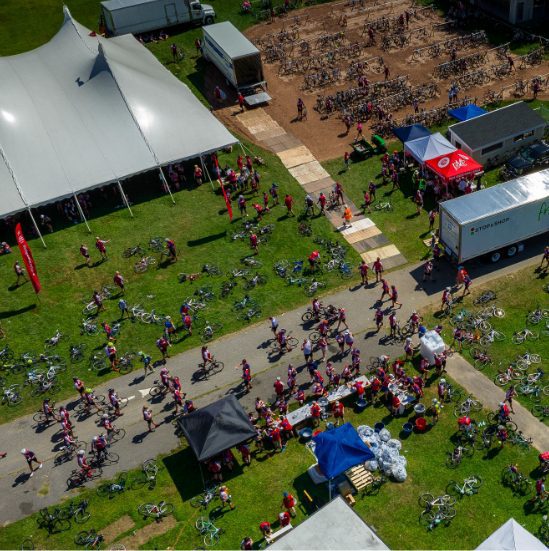
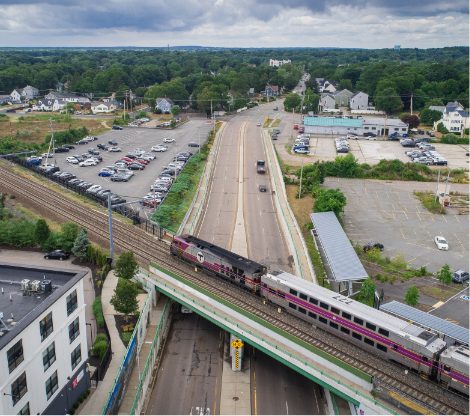
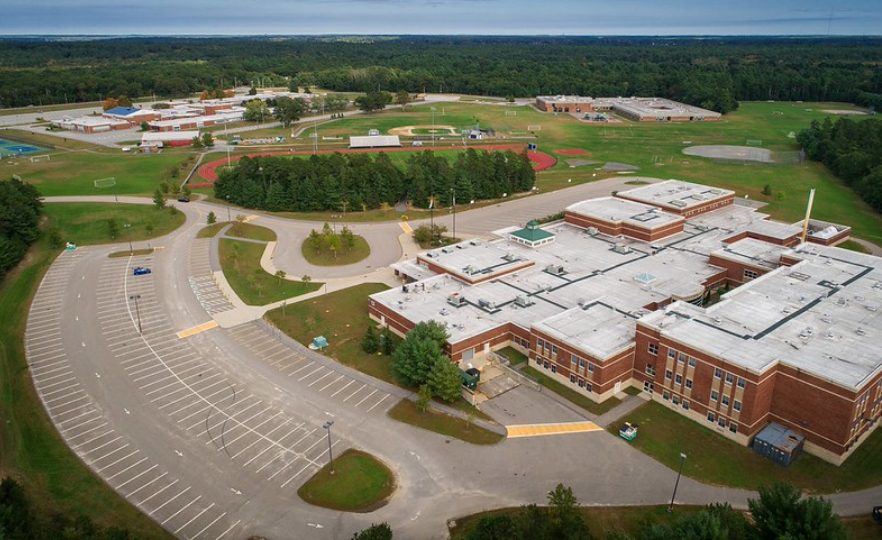
Connecting People to a Better Quality of Life
A connected transportation system gives people across Southeastern Massachusetts access to employment and education, healthcare and healthy food, family and friends, recreation, and the places and services that make everyday life possible.
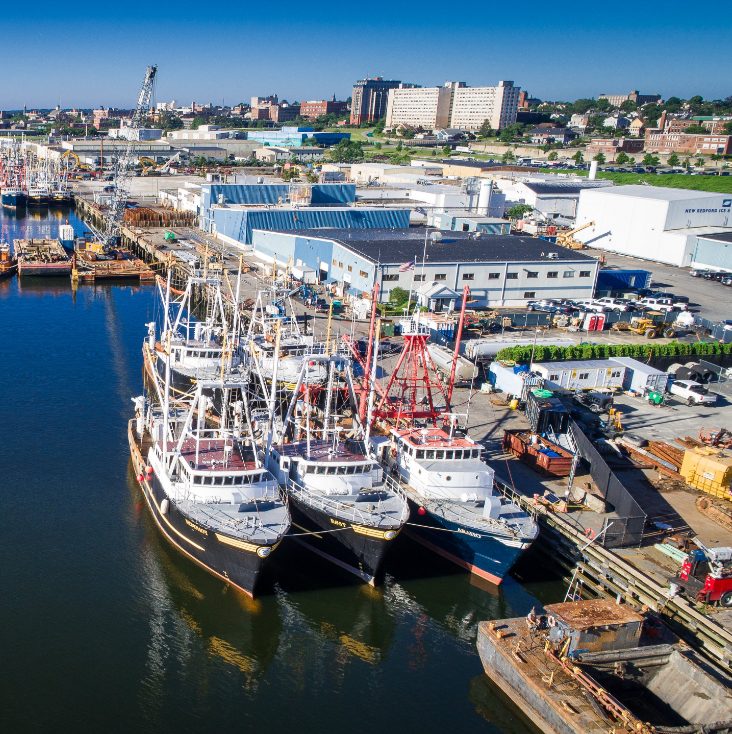
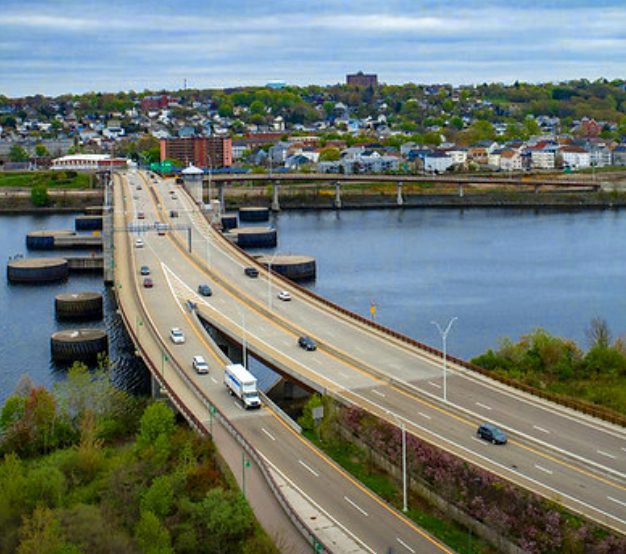
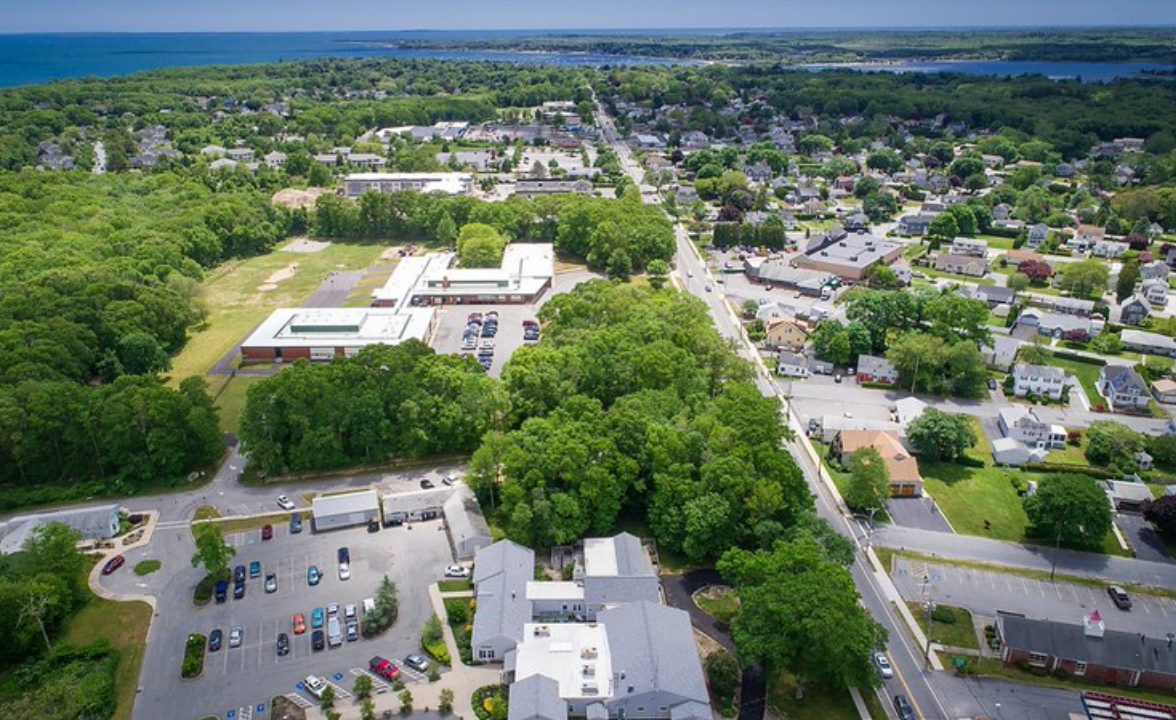
Transportation is an economic engine
Reliable transportation supports employers, attracts investment, connects workers to jobs, and keeps goods moving throughout Southeastern Massachusetts.
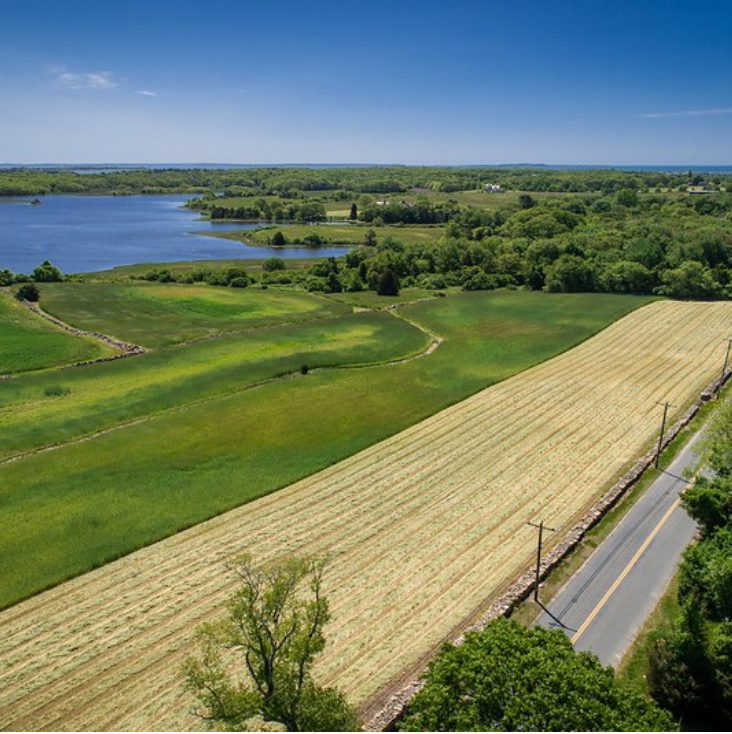
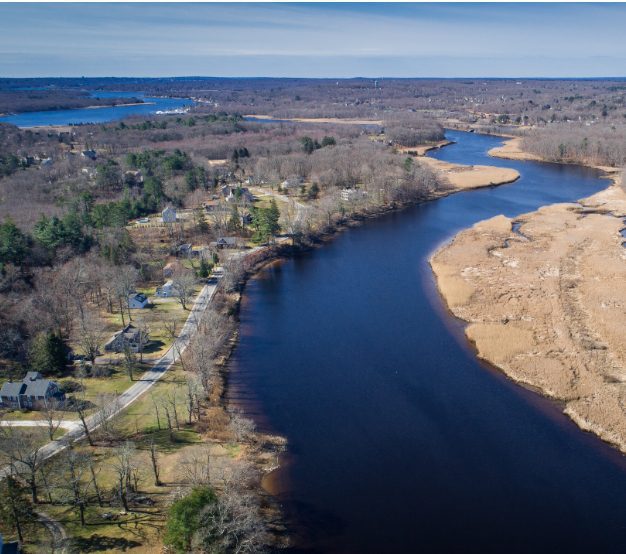
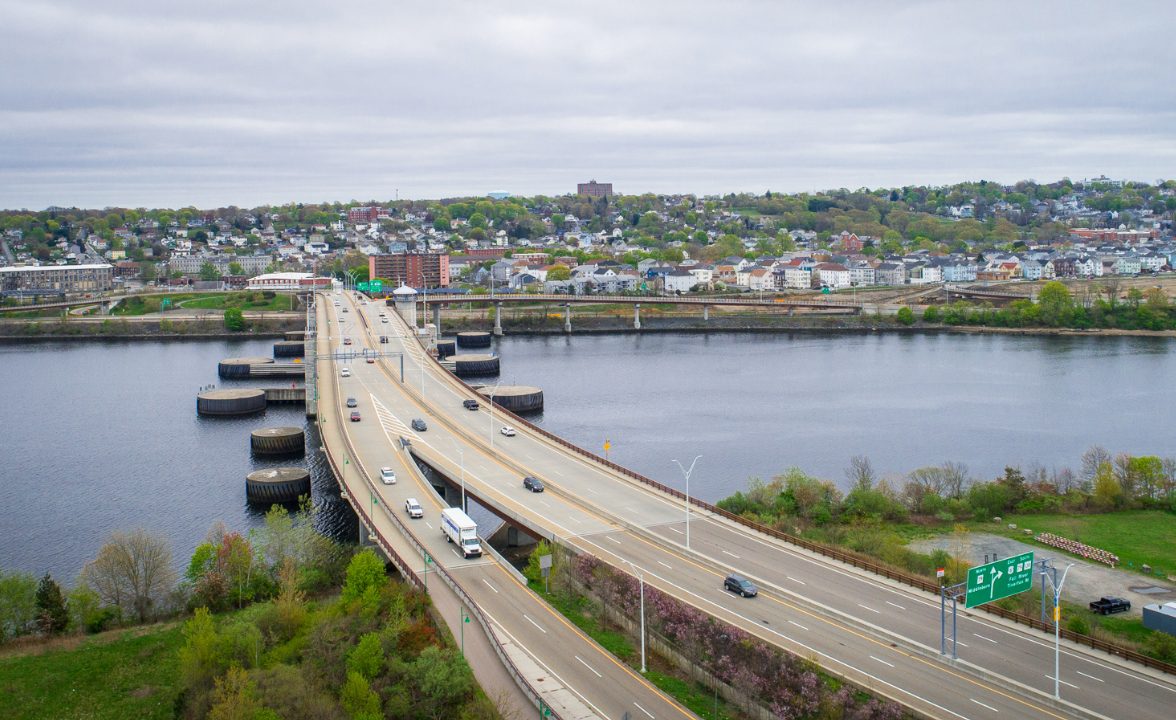
Resilience is transportation
Today's transportation planning considers sea level rise, stronger storms, changing travel patterns, and new technologies—not just today's traffic.
Saved Row
Feature - Text and Image Collage, Collage Left
The pinned collage above as an ordinary side-by-side row, built 2026-10-01: the photo collage on the left and the text beside it, centred on the collage. Nothing pins and the photos do not cross-fade; the row simply fades in with the rest of the page. The collage arranges itself from one to four photos. On a phone the collage comes first.
Connecting People to a Better Quality of Life
A connected transportation system gives people across Southeastern Massachusetts access to employment and education, healthcare and healthy food, family and friends, recreation, and the places and services that make everyday life possible.
Saved Row
Feature - Text and Image Collage, Collage Right
The same static row with the sides swapped: text on the left, collage on the right (the fact box carries fact--reverse). On a phone the collage still comes first.
Transportation is an economic engine
Reliable transportation supports employers, attracts investment, connects workers to jobs, and keeps goods moving throughout Southeastern Massachusetts.
Short rows whose whole job is one link.
Saved Row
CTA Module - Text Only (Transportation)
Comp: CTA Module - text only. A full-bleed navy band with the section tab in the accent, one large headline and an arrow button, all centred. Cloned into this section 18 Sep 2026.
Saved Row
Body Content - Single Column
Comp: Full Width 1 Column Body Content Module - White Background, built 2026-09-21. A section tab, then a centred column three-quarters of the content width: a bold title with the four-segment rule under it, a paragraph, a hairline and a centred arrow-link label.
Section Heading
Lorem ipsum dolor sit amet, consetetur sadipscing elitr, sed diam nonumy eirmod tempor invidunt ut labore et dolore magna aliquyam erat, sed diam voluptua. At vero eos et accusam et justo duo dolores et ea rebum. Stet clita kasd gubergren, no sea takimata sanctus est Lorem ipsum dolor sit amet. Lorem ipsum dolor sit amet, consetetur sadipscing elitr, sed diam nonumy eirmod tempor invidunt ut labore et dolore magna aliquyam erat, sed diam voluptua.
Saved Row
Body Content - Single Column, Navy
The same row on a navy band with white type and a reversed arrow. It is one class on the row (body-single--navy), so either can be made from the other by editing the class rather than rebuilding.
Section Heading
Lorem ipsum dolor sit amet, consetetur sadipscing elitr, sed diam nonumy eirmod tempor invidunt ut labore et dolore magna aliquyam erat, sed diam voluptua. At vero eos et accusam et justo duo dolores et ea rebum. Stet clita kasd gubergren, no sea takimata sanctus est Lorem ipsum dolor sit amet. Lorem ipsum dolor sit amet, consetetur sadipscing elitr, sed diam nonumy eirmod tempor invidunt ut labore et dolore magna aliquyam erat, sed diam voluptua.
Figures and icon cards on a panel.
Saved Row
Stats - Four Across
Four figures in a single row, beneath an image with overlay text. All three stat rows carry the same image group — delete that first column if a row does not need it.

The Regional Pedestrian Plan for Southeastern Massachusetts is a strategic roadmap aimed at fostering safe and accessible pedestrian connections across the region.
Saved Row
Stats - Six in Three Columns
Six figures in three columns, beneath an image with overlay text.
The Regional Pedestrian Plan for Southeastern Massachusetts is a strategic roadmap aimed at fostering safe and accessible pedestrian connections across the region.
Saved Row
Stats - Four in Two Columns
Four figures in two columns, beneath an image with overlay text — the same content as Four Across in a narrower footprint.
The Regional Pedestrian Plan for Southeastern Massachusetts is a strategic roadmap aimed at fostering safe and accessible pedestrian connections across the region.
Saved Row
5 column icon card module with category tag and intro
Comp: icon card module with category tag and intro copy, to be coded in 3, 4 and 5 column configurations. Section tab, intro copy and a row of icon cards: an icon disc, a title and a line of copy each. Cloned into this section 18 Sep 2026.
Lorem ipsum dolor sit amet, consetetur sadipscing elitr, sed diam nonumy eirmod tempor invidunt ut labore et dolore magna aliquyam erat, sed diam voluptua.
Saved Row
4 column icon card module with category tag and intro
The same icon-card panel with four cards. The card count is read from the markup, so this is the five-card row with one card deleted, kept as its own saved row for convenience.
Lorem ipsum dolor sit amet, consetetur sadipscing elitr, sed diam nonumy eirmod tempor invidunt ut labore et dolore magna aliquyam erat, sed diam voluptua.
Saved Row
3 column icon card module with category tag and intro
The same panel with three cards.
Lorem ipsum dolor sit amet, consetetur sadipscing elitr, sed diam nonumy eirmod tempor invidunt ut labore et dolore magna aliquyam erat, sed diam voluptua.
Saved Row
Stats - Icon Cards, Five Across
Comp: By the Numbers, built 2026-09-21. The Icon Steps band with different words: a grey panel and tab, a row of icon discs each with a heading and lines of figures, then a four-segment rule and an arrow-link sentence centred beneath. Values in bold read as navy. The number of columns is read from the markup, so a column can be deleted or duplicated. Click a circle to pick its icon, or swap the Icon module inside the card for a Photo module to put a picture in the circle.
Saved Row
Stats - Icon Cards, Four Across
The same panel with four columns.
Saved Row
Stats - Icon Cards, Three Across
The same panel with three columns.
Tiles: linked cards, photo mosaics, the community grid, the team and document cards.
Saved Row
Grid - Linked Cards with Heading Aside
Section heading and a short link list in a narrow column, beside a grid of hand-curated cards. Each card is one chosen image and a typed title, linked to a page — the whole tile is clickable, not just the words. Three across on wide screens, two below 1200px, one on phones.
Saved Row
Grid - Image Mosaic
Full-bleed photo mosaic. Each tile is a link across its whole area, and reveals its description on hover or keyboard focus from 1200px up. Below that every description is shown outright.
Saved Row
Grid - Communities Mosaic
Full-bleed grid of all 27 member communities, each linking to its own page, with the section heading occupying the first cells of the top row. Names and links come from the community records, so they are correct as-is and the same for every department — only the photographs need choosing. Six across on wide screens, then four, three and two as it narrows.
Saved Row
Grid - Team Members with Heading Aside
Section heading and intro in a narrow column, beside a grid of staff. NOTE: the people come from a Toolset View, not from this row — it is wired to the Transportation department, so another department needs its own View swapped in. Two across on phones, three from 1200px. Email and phone are hidden by the stylesheet rather than removed, so they can be brought back without touching the View.
From long-range transportation planning and data analysis to public engagement, transit, bicycle and pedestrian planning, and project implementation, SRPEDD's Transportation team works with communities across Southeastern Massachusetts to create a safer, more connected, and more accessible transportation system.
Their work helps shape how people and goods move throughout the region—today and for generations to come.
Department Staff
Saved Row
Grid - Document Cards in Two Columns
Two headed columns, each holding a stack of document cards — a picture beside a label, a title and an optional date, with the whole card linked. Cards are the same height across both columns whatever the content, and titles hold to two lines and trail off if longer. Use the date line for documents that take effect on a date and leave it out where it does not apply.
TIP Plans & Resources

Saved Row
Grid - Thumbnail Cards, Two Columns
Two columns of cards, each a photograph with a rounded top-right corner, a title, a sentence or two and a "Learn More" link. Each card is one Callout module: pick the photo, type the title and copy, and set the link; add or remove Callouts to change how many cards there are — the grid takes any number. One column on phones.
Section Heading

The agency's governing body composed of representatives from the region's 27 cities and towns.
The MPO decides how to spend federal funds for transit projects and both state and federal funds for roadway and bridge projects.
An advisory group of municipal representatives that reviews the region's transportation plans and programs before the MPO acts on them.
Residents and advocates who guide the region's active transportation planning and review bicycle and pedestrian projects.
Saved Row
Grid - Photo Mosaic
A block of photographs where the NUMBER of pictures chooses the arrangement: four sit in a single row, eight fill four across and two deep, and five or seven form a mosaic with one wide picture and one tall one. Every picture is its own module, so click one to swap the image -- and adding or removing a picture rearranges the block on its own. Two columns on a phone.
Rows that read from records rather than typed copy, and the figures table.
Saved Row
Panel - Upcoming Events
Two lists of events on a panel that fades out down the page: what is happening next, and the regular meeting series with their coming dates. Nothing here is typed — it reads The Events Calendar, so setting the category on the shortcode fills the whole row, and every title and date links to that meeting. If there are no repeating meetings the Up Next list takes the full width and shows twice as many; if there is nothing scheduled at all it says so plainly and still links to the calendar.
November 17 @ 1:00 pm - 2:00 pm
December 9 @ 1:00 pm - 2:00 pm
Upcoming Transportation Events
Saved Row
Table - Figures with Column Headers
A table of figures: navy header blocks along the top, and a coloured rule under every line. That rule takes the section accent, so the same row in another department comes out in their colour without anything being changed. Replace the headings and rows with your own, and delete the TOTAL line if the table does not need one. On a phone it scrolls sideways rather than crushing four columns into an unreadable width.
| First column | Second column | Third column | Fourth column |
|---|---|---|---|
| Row label | 00% | 00% | $000,000,000 |
| Row label | 00% | 00% | $000,000,000 |
| Row label | 00% | 00% | $000,000,000 |
| TOTAL | $000,000,000 |
Note: notes go here | Source: source goes here
Classes you type yourself, in a row, column or module's Advanced › Class field, and what each does. Everything else with a class comes inside a saved row and never needs typing.
| Class | Where it goes | What it does |
|---|---|---|
text-area--narrow |
The hero card's column (the one already carrying text-area) |
A narrower card, 45% of the row instead of 53%. For a short title. |
text-area--wide |
The hero card's column | A wider card, 65% of the row. For a long title or a longer lead. |
section-label--right |
The tab module of a row (the one carrying section-label) |
Sits the tab against the right edge of the content instead of the center. |
section-label--left |
The tab module of a row | Sits the tab against the left edge. |
section-label--accent |
The tab module of a row | Purple tab instead of navy. |
pa-tile--tall |
A Planning Areas tile (Box) | The tile spans two rows of the mosaic. One per mosaic reads best. |
pa-tile--wide |
A Planning Areas tile (Box) | The tile spans two columns. |
pa-tile--title |
The Planning Areas title tile (a Box holding a Text module, no Callout) | The navy tile that carries the heading and rule instead of a photo. Spans two columns. |
fact--reverse |
A Fast Facts fact (the Box carrying fact) |
Text on the left, photo collage on the right. On a phone the collage always comes first. |
photo-grid--wide |
A Photo module inside a photo grid | The photo spans two columns. Only for a set the automatic layouts do not cover -- grids of 4, 5, 7 and 8 photos arrange themselves. |
photo-grid--tall |
A Photo module inside a photo grid | The photo spans two rows. Same caveat as above. |
body-single--navy |
The single-column body row (alongside body-single) |
The navy version of the row, with white copy. |
tabbed |
A two-column body row | The standard white body row with a tab; the base for the three below. |
bg |
A tabbed row |
Gray band behind the row. |
white-w-image |
A tabbed row |
White row with the photo band along its foot. |
blue-w-image |
A tabbed row |
Navy row with the photo band along its foot. |
cta-image |
A call-to-action row | Full-bleed band with the copy centered; a colored background makes it the text-only version. |
on-dark |
Any text module on a navy band | White copy and links. |
row--flush-above |
A row | Removes the space above the row, so a full-width band butts against the band above it. Pair with row--flush-below on that row. |
row--flush-below |
A row | Removes the space below the row. |
row--shadow-above |
A row | A soft shadow along the row's top edge, so it reads as a band sitting under the row above rather than running into it. |
separator--thin |
A Separator module | A thinner four-color rule, like the one in the department contacts panel. |
separator--plain |
A Separator module | A plain gray hairline instead of the four-color rule. |
has-section-rule |
A heading or text module | Draws the four-color rule under the module, without a separate Separator. |
section-rule--full |
An element in an HTML module (alongside section-rule) |
The four-color rule at full width, with square ends. |
table-fit |
A Text or HTML module holding a table, or the <table> itself |
Caps a short table at 900px, centred, instead of the full width. Stacked tables keep their first column in line. |
no-icon |
A photo or icon module that links out | Hides the accessibility plugin's external-link icon inside an icon-only link. |
| Format | What it does |
|---|---|
| Eyebrow | The small uppercase label above a heading ("OUR MISSION"). |
| Lead Paragraph | The larger navy opening paragraph. |
| Arrow Text (no link) | A line with the purple disc that is not a link. |
| Tight Spacing Below | Pulls the next block up close to a paragraph that introduces it, such as a bold "...including:" line over its list. Choose it again to remove it. |
| Section Tab | Turns a paragraph or a heading into the navy tab on the top edge of the row. Type the tab as a Heading Two or Three first when the page outline needs a heading there; the tab looks the same at any level. One per row. Choose it again to remove it. |
| Heading One to Heading Six | The look of another heading level without changing the outline: a Heading Two that reads as a Heading Four. |
| Link with Arrow | A sentence link with the purple disc. |
| Link with Arrow (Label) | A short uppercase link with the disc: "VIEW THE PLAN". |
| Button | The navy pill. |
